

Can iOS 11 Make iPad Your Primary Computer?

The latest version of Apple’s mobile operating system, iOS 11, is released today for iPhone and iPad. Many of the changes may now make the iPad a real alternative to a Macbook or iMac as your primary computer.
Dock makes app switching faster
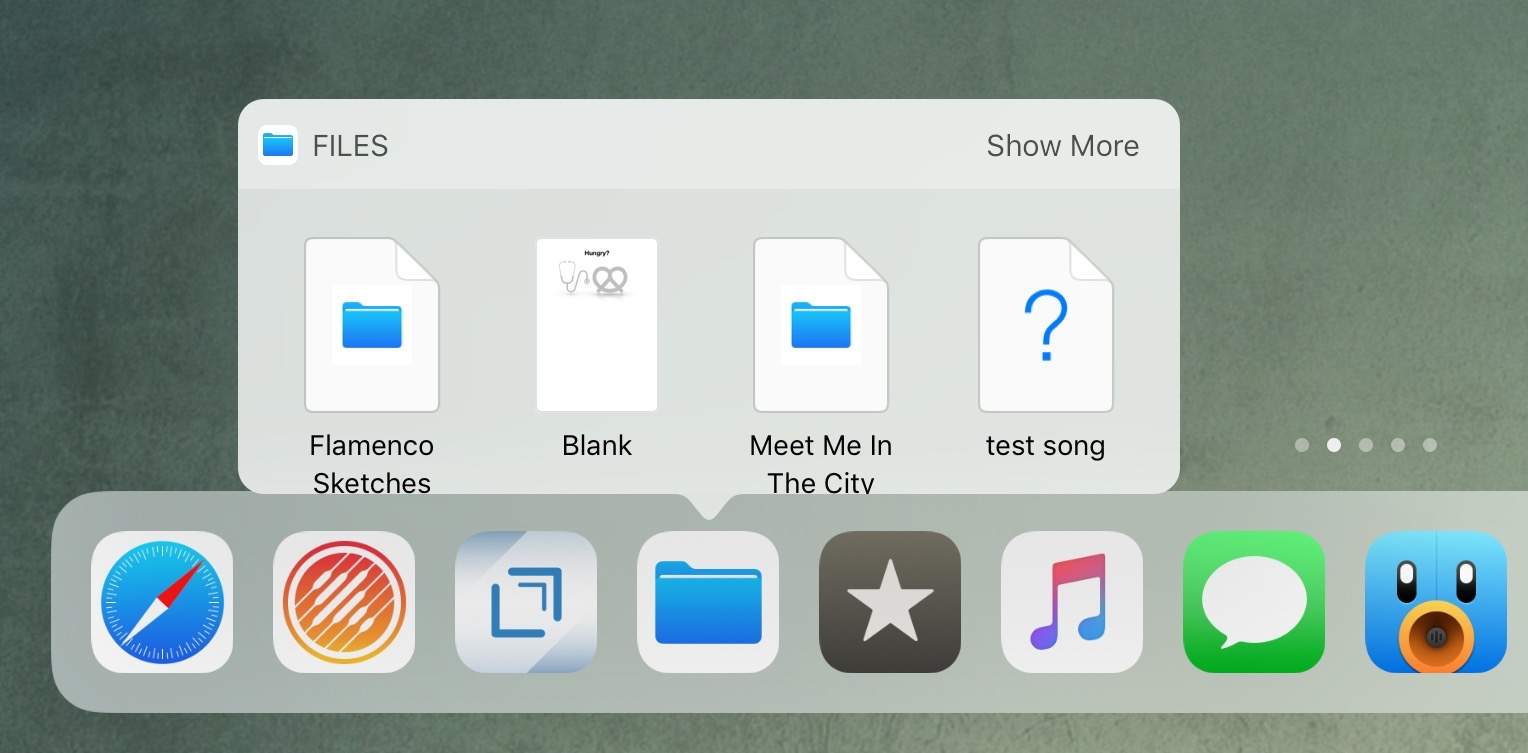
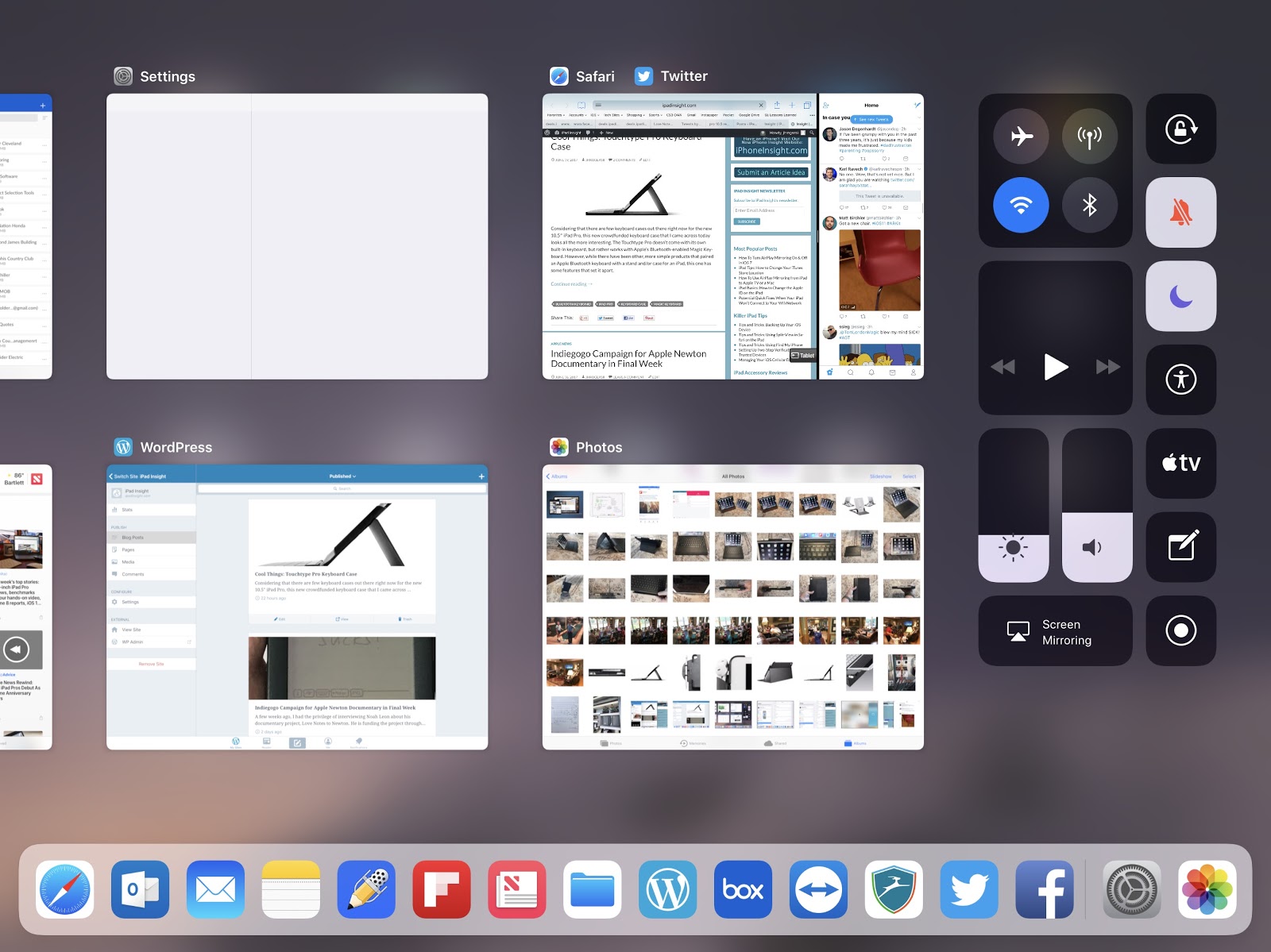
The first update comes in the form of a new dock for the iPad. The dock now features your most recently used apps as well as the 4 or 5 apps you normally pin to the very bottom of the screen. The dock can be accessed from within any app with a single swipe up from the bottom of the iPad. This makes it much easier to switch between apps. Swiping up previously accessed control center for quick settings like toggling WiFi, Bluetooth and airplane mode. These settings can now be accessed with a second swipe up.
Files app makes iPad working possible
A dedicated Files app replaces the current iCloud Drive feature on the iPad. Files is a much more comprehensive app, sorting through files saved locally on the device as well as in the cloud. It can also view files from third party apps on services like Dropbox. Documents can be viewed and edited within the files app. Files is enhanced further by the addition of drag and drop and the additions to multitasking.
Drag and Drop finally on iPad
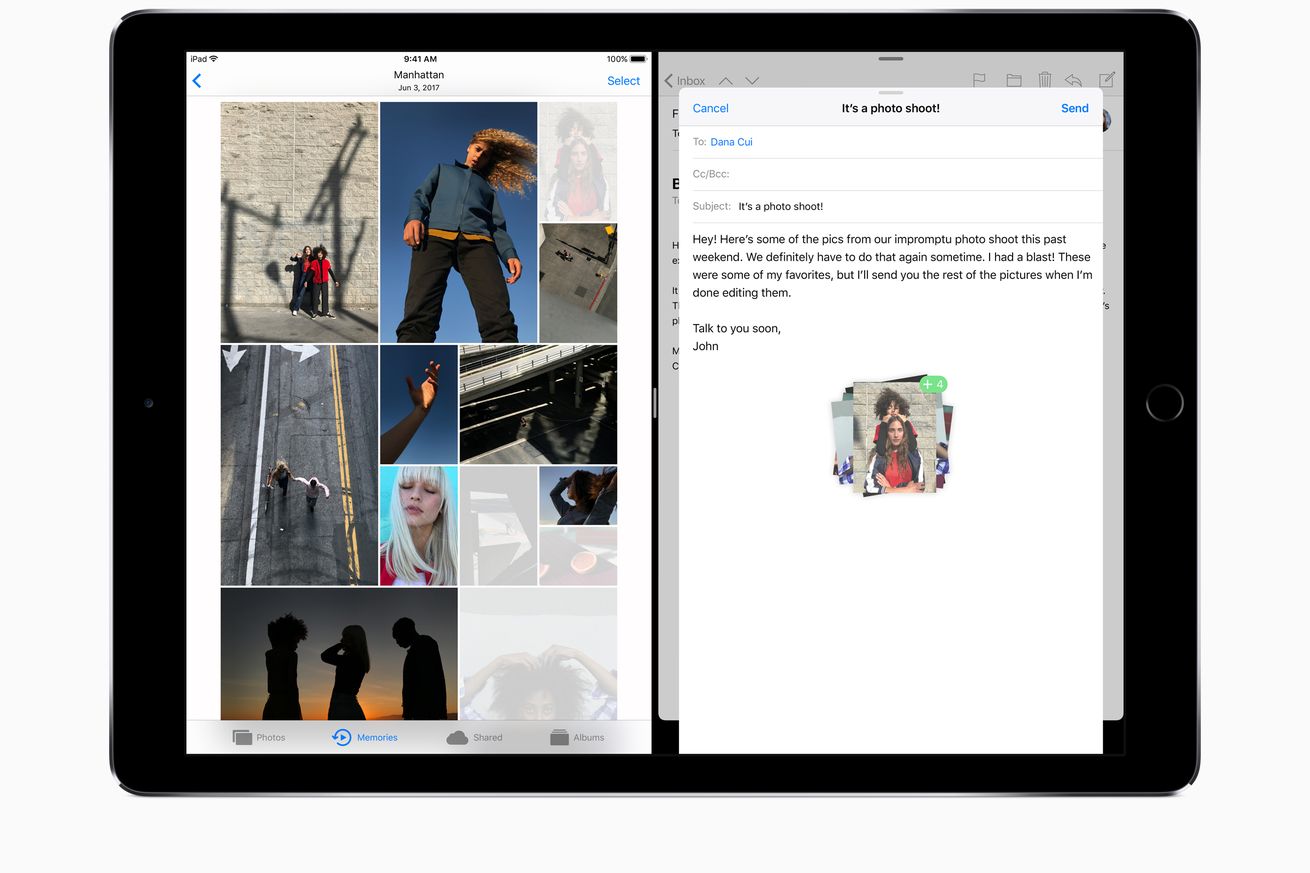
Drag and drop has finally been added to iOS. As a feature often taken for granted on Mac and PC, it’s addition to iOS makes the iPad that much closer to being a laptop replacement. Drag and drop works in most apps. Documents and photos can be moved between two apps open side by side or between apps through the multitasking window. Drag and drop also changes the way you open multiple apps in side by side view. In previous versions of iOS, a second app was opened by swiping in from the right of the screen and then scrolling through the list of supported apps. Drag and drop now allows you to open one app and then drag another from the dock onto either side of the screen.
Multitasking much better for productivity
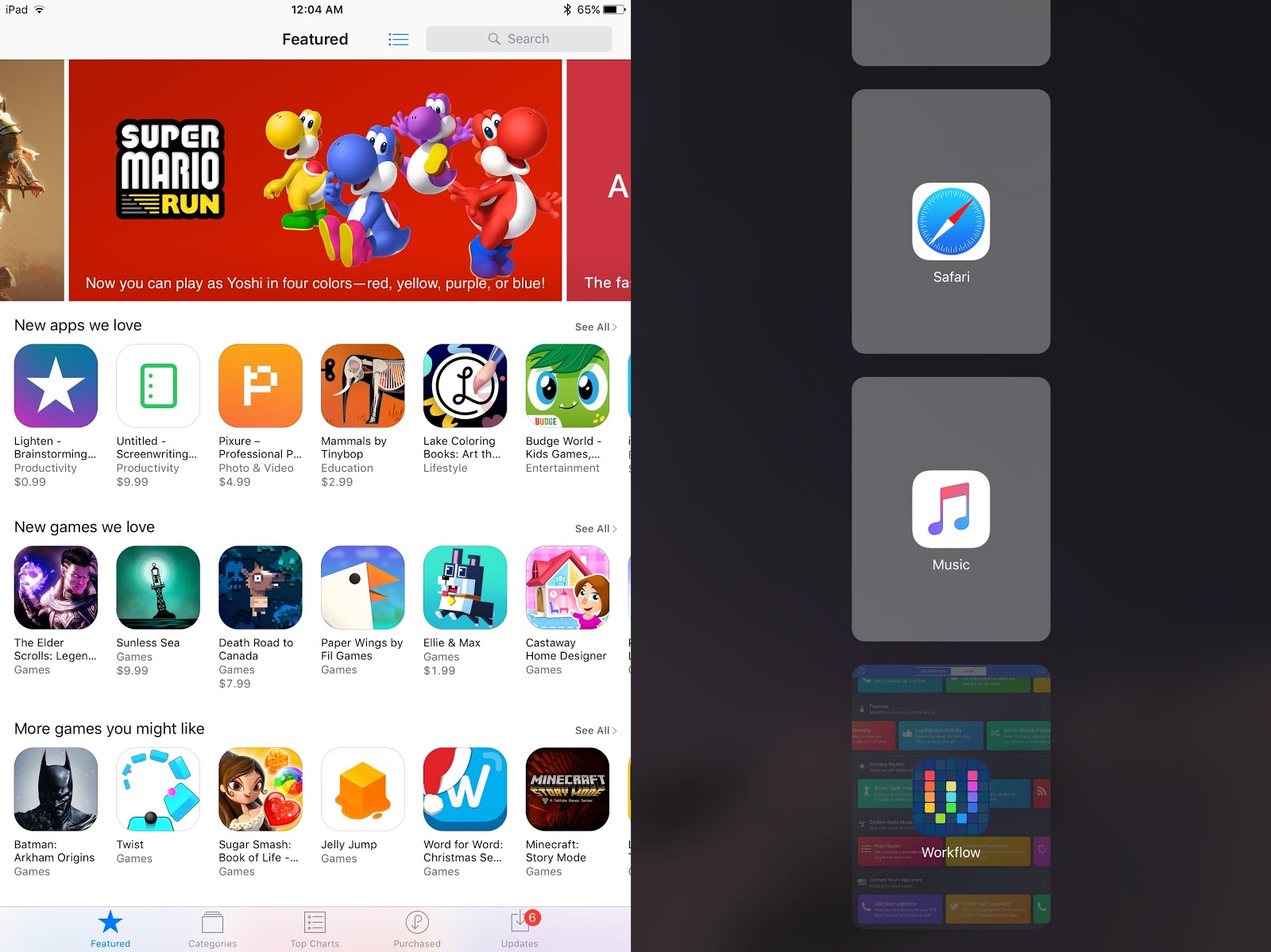
Multitasking has been completely changed from iOS 10. The multitasking is now part of the control centre on iPad and iOS. Open apps are shown in a grid moving left off the side of the screen rather than the previous one behind the other layout. As in iOS 10, you can view multiple apps at once. However, this pairing of apps is now remembered in the multitasking window – meaning you can go back to frequently used apps much more easily.
Simpler markups with Apple Pencil
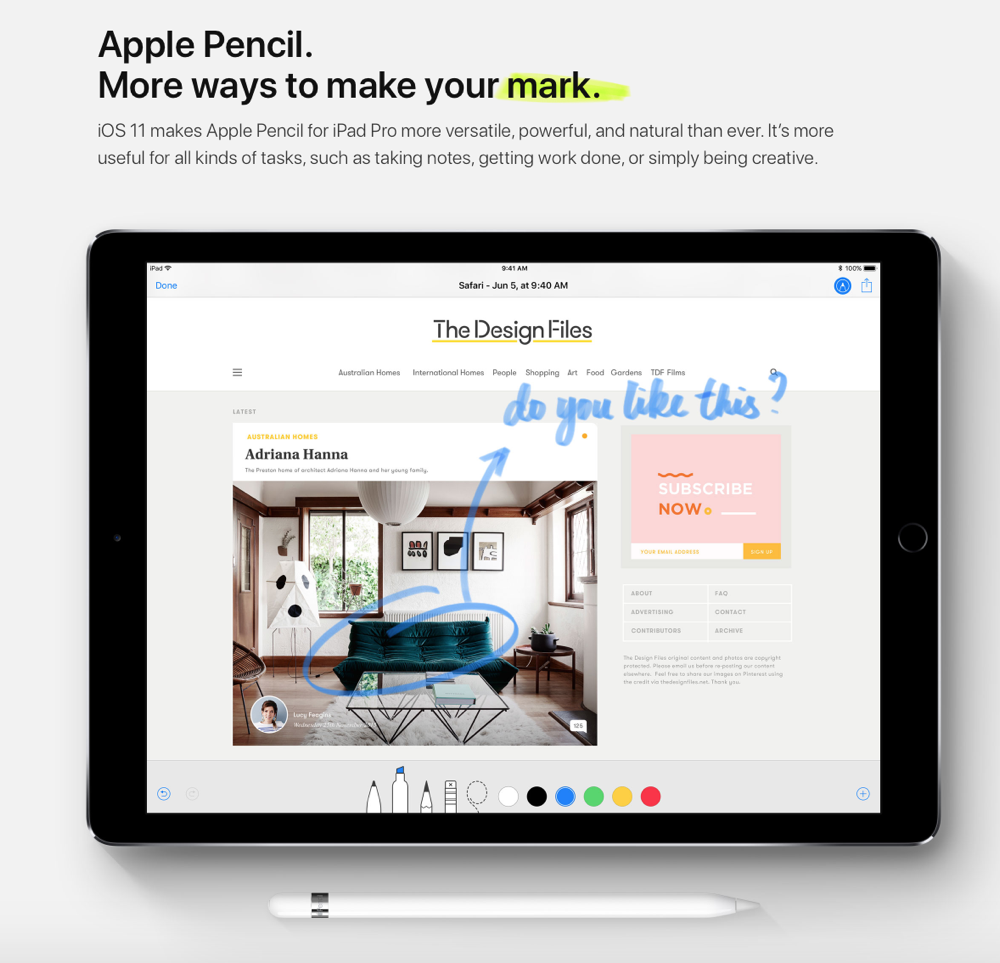
Another key update is to the way you can use your Apple Pencil. At the moment it's fairly laborious to use the pencil to mark up documents or make sketches in mail as the method for marking up documents varies within different apps. Within some apps the markup button is readily available but in others you have to dive through multiple layers of options to find it. This is changed with instant markup. You can now markup PDFs and screenshots immediately with the Apple Pencil. This makes the makes the pencil a much more useful tool.
Sign up today and start unlocking your app's potential.